
Download OverChat AI Writer – AI‑Powered Text Generation, SEO‑Friendly Content, Multilingual Support
Overview: Why OverChat AI Writer Stands Out in the AI Writing Landscape
OverChat AI Writer is a cloud‑based writing assistant that combines cutting‑edge language models with a suite of productivity tools designed for marketers, bloggers, and anyone who needs high‑quality written material fast. Unlike generic chat‑bots, OverChat focuses on generating structured drafts that are ready for polishing, complete with SEO‑oriented suggestions such as keyword placement, optimized headings, and readability scores. Users simply type a brief idea or prompt, choose a tone—from conversational to formal—and the AI returns a coherent draft in seconds.
The platform supports more than 25 languages, making it a truly global solution for multilingual teams. Integrated proofreading checks flag grammar errors, passive voice, and ambiguous phrasing, ensuring the final output meets professional standards. Additionally, the built‑in keyword recommendation engine helps creators align their copy with current search trends, boosting visibility without the need for a separate SEO tool.
All of this is delivered through a secure, subscription‑based web interface that receives regular updates, guaranteeing that users always work with the latest model improvements and security patches. Whether you are drafting a blog post, crafting a social media caption, or preparing a sales email, OverChat AI Writer aims to reduce the time spent on the blank‑page syndrome while preserving a human‑like voice.
Features & Benefits: A Deep Dive into What OverChat AI Writer Offers
- Multilingual Generation: Create content in over 25 languages, with native‑like fluency and idiomatic expressions.
- Customizable Tone & Style: Choose from predefined tones (professional, casual, persuasive) or fine‑tune the voice to match brand guidelines.
- SEO‑Ready Drafts: Automatic keyword suggestions, heading hierarchy optimization, and meta description generation.
- Advanced Proofreading: Grammar, spelling, punctuation, and style checks powered by an AI‑enhanced language engine.
- Content Templates: Ready‑made structures for blogs, newsletters, product descriptions, and social media posts.
- Collaboration Hub: Share drafts with teammates, add comments, and track version history in real time.
- Secure Cloud Architecture: End‑to‑end encryption, GDPR compliance, and regular security audits.
- Continuous Model Updates: Monthly improvements to language understanding, factual accuracy, and output creativity.
- Export Options: Download drafts as .docx, .pdf, or copy directly to clipboard for seamless integration with other tools.
- API Access (Premium): Integrate OverChat’s generation engine into your own applications or CMS.
The benefits of these features compound to create a workflow that feels both intuitive and powerful. Multilingual support removes the need for separate translation services, while tone customization guarantees brand consistency across all channels. The SEO‑focused utilities save hours that would otherwise be spent on manual keyword research, and the collaboration hub turns OverChat into a virtual writing room, cutting down on email chains and version‑control confusion. Security‑first design gives peace of mind to enterprises handling sensitive content, and the regular model updates ensure that the generated text stays current with language trends and search engine algorithms. In practice, users report a 40‑60 % reduction in time‑to‑publish, alongside higher engagement metrics thanks to more compelling, search‑optimized copy.
Installation, Compatibility & Usage: Getting Started in Minutes
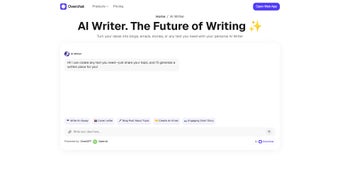
Because OverChat AI Writer is a web‑based platform, there is no traditional installation process. Users simply visit overchat.ai, create an account, and choose a subscription plan that matches their needs. The sign‑up flow includes an optional two‑factor authentication step for added security. Once logged in, the dashboard presents a clean editor with a left‑hand prompt pane and a right‑hand output pane.
Step‑by‑Step Setup
- Navigate to the website and click “Start Free Trial”.
- Enter your email, create a strong password, and verify your account via the confirmation link.
- Optional: Enable 2FA under “Security Settings”.
- Select your preferred language and tone presets.
- Enter a brief prompt (e.g., “Write a 600‑word blog post about sustainable travel”).
- Click “Generate” and watch the AI produce a structured draft within seconds.
- Use the built‑in toolbar to apply SEO suggestions, adjust headings, or run the proofreading check.
- When satisfied, export the content or share it with teammates via the “Collaborate” button.
Compatibility: OverChat AI Writer runs on any modern browser (Chrome, Edge, Firefox, Safari) on Windows, macOS, Linux, as well as mobile browsers on Android and iOS. Because the service is cloud‑hosted, there are no hardware constraints, and the responsive design ensures a smooth experience on tablets and smartphones.
For power users, a Chrome extension is available that injects the OverChat interface directly into popular CMS platforms like WordPress and HubSpot, allowing you to generate and edit content without leaving the publishing environment. The extension respects the same security standards as the main web app and automatically syncs drafts to your OverChat account.
Pros, Cons, FAQ & Conclusion: Is OverChat AI Writer Right for You?
Pros
- Fast, high‑quality drafts that require minimal editing.
- Robust multilingual capabilities for global teams.
- Integrated SEO tools reduce reliance on third‑party services.
- Secure, GDPR‑compliant cloud infrastructure.
- Collaboration features streamline team workflows.
Cons
- Subscription cost may be higher than basic free AI writers.
- Advanced API access limited to premium tiers.
- Heavy reliance on internet connectivity; offline mode not available.
Frequently Asked Questions
Can OverChat AI Writer generate completely original content?
Yes. The underlying language model creates text from scratch based on your prompt, and the platform includes a plagiarism‑check feature to ensure uniqueness before you export.
Is there a free version or trial?
OverChat offers a 7‑day free trial with full feature access. After the trial, you can continue on a paid plan or downgrade to a limited free tier that still includes basic generation and proofreading.
How does OverChat handle data privacy?
All user data is encrypted in transit and at rest. OverChat complies with GDPR, CCPA, and other major privacy regulations. Your drafts are stored only for the duration of your subscription unless you choose to delete them manually.
Can I integrate OverChat with my existing CMS?
Yes. OverChat provides plugins for WordPress, Joomla, and a RESTful API for custom integrations. The Chrome extension also allows direct generation inside most web‑based editors.
What payment methods are accepted?
Credit cards (Visa, MasterCard, American Express), PayPal, and major regional payment gateways are supported. Annual plans receive a discounted rate compared to monthly billing.
Conclusion & Call to Action
OverChat AI Writer delivers a compelling mix of speed, multilingual flexibility, and SEO intelligence that makes it a top choice for professionals who need reliable, high‑quality copy without sacrificing brand voice. While the subscription cost is a consideration, the time savings, improved search rankings, and collaborative workflow often justify the investment. If you’re ready to eliminate writer’s block and produce polished content in a fraction of the time, click the button below to start your free trial and experience the future of AI‑assisted writing today.



.png)



